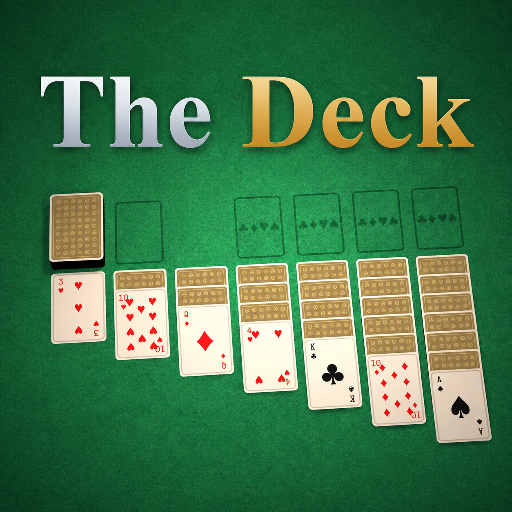
The Deck
Released
Your one-stop shop for all things card games.
Framework/TableAnchor.cs
Component that defines a table layout and camera for a card game. It computes world transforms for dealer spot, player seats, board grid cells, camera transforms, and lays out card objects into a faned row; it also draws editor gizmos showing spots and grid.
namespace CardGames;
/// <summary>
/// Marks where the game is laid out in the scene. Players sit along the near edge facing the
/// dealer on the far edge; each client's camera sits behind its own seat. Move/rotate this anchor
/// and the whole table (seats, dealer, cards, camera) moves with it.
/// </summary>
public sealed class TableAnchor : Component
{
[Property] public float Radius { get; set; } = 20f;
[Property] public float SeatSpread { get; set; } = 32f;
[Property] public float CardSpacing { get; set; } = CardMesh.DefaultWidth * 1.05f;
[Property] public float CameraHeight { get; set; } = 64f;
[Property] public float CameraPitch { get; set; } = 5f;
/// <summary>
/// Where the dealer's hand sits (far edge, centred).
/// </summary>
public Transform DealerSpot => SpotAt( new Vector3( 0, Radius, 0 ) );
/// <summary>
/// Base spot for a hand on the near edge. <paramref name="slot"/>/<paramref name="count"/> are
/// among the *occupied* seats and are placed space-evenly: 1 player centres on the dealer, 2 sit
/// symmetrically left/right, and so on.
/// </summary>
public Transform SeatSpot( int slot, int count ) => SpotAt( new Vector3( SeatX( slot, count ), -Radius, 0 ) );
/// <summary>
/// Centre a hand on its spot and lay its cards out sideways across the screen. <paramref name="spacingScale"/>
/// scales the gap between cards (1 = the normal no-overlap spread, <1 packs/overlaps them);
/// <paramref name="fanDegrees"/> is the total tilt across the hand (0 = a flat row, >0 fans the cards
/// like a held hand). Stacks slightly in Z to avoid z-fighting and keep later cards on top.
/// </summary>
public void LayoutHand( IReadOnlyList<CardObject> cards, Transform spot, float spacingScale = 1f, float fanDegrees = 0f )
{
// The card's width runs along its local X (= Rotation.Forward here), the screen-horizontal axis.
int n = cards.Count;
float spacing = CardSpacing * spacingScale;
for ( int i = 0; i < n; i++ )
{
float t = n <= 1 ? 0f : i / (float)(n - 1) - 0.5f; // -0.5 (left) .. +0.5 (right)
float offset = (i - (n - 1) / 2f) * spacing;
// Tilt each card in the table plane (about the surface normal) so the hand fans out.
var rot = Rotation.FromAxis( spot.Rotation.Up, -t * fanDegrees ) * spot.Rotation;
// Later cards sit higher, so each card overlaps on top of the one to its left (rightmost on top).
var pos = spot.Position + spot.Rotation.Forward * offset + spot.Rotation.Up * (i * 0.05f);
cards[i].MoveTo( new Transform( pos, rot ) );
}
}
// - Board layout -
// Pile/board games (Solitaire, FreeCell) lay piles out on a card-grid rather than at seats. A cell is
// addressed by (col, row): col is card-step columns from the table centre (0 = centre, negative = left),
// row counts card-height steps *down from the top of the view* (row 0 = top row). So a game places piles
// in readable grid terms and never touches camera trig.
private static float BoardColumnStep => CardMesh.Width * 1.15f; // horizontal spacing between board columns
private static float BoardRowStep => CardMesh.Height * 1.05f; // vertical spacing between board rows
private static float BoardTopInset => CardMesh.Height * 0.6f; // drop the top row this far below the view edge
/// <summary>
/// The +Y (toward-dealer) coordinate of the top edge of what the camera sees at the board plane, so the
/// top row can be pinned near the screen's top. <paramref name="cameraHeight"/> 0 uses <see cref="CameraHeight"/>.
/// </summary>
public float ViewTopY( float cameraHeight = 0f )
{
float height = cameraHeight > 0f ? cameraHeight : CameraHeight;
float fov = Scene?.Camera?.FieldOfView ?? 52f; // the camera uses a vertical FOV
return height * MathF.Tan( (fov * 0.5f).DegreeToRadian() );
}
/// <summary>
/// World transform of a board cell. <paramref name="col"/> is card-step columns from centre,
/// <paramref name="row"/> is card-height steps down from the view top. <paramref name="cameraHeight"/> 0
/// uses <see cref="CameraHeight"/>.
/// </summary>
public Transform BoardCell( float col, float row, float cameraHeight = 0f )
{
float y = ViewTopY( cameraHeight ) - BoardTopInset - row * BoardRowStep;
return SpotAt( new Vector3( col * BoardColumnStep, y, 0 ) );
}
/// <summary>
/// Near top-down camera centred on the table, tilted only a few degrees off vertical.
/// </summary>
public Transform Camera() => Camera( CameraHeight );
/// <summary>
/// Same, but at a specific height (lets a bigger game like Solitaire zoom out further).
/// </summary>
public Transform Camera( float height )
{
float tilt = height * MathF.Tan( CameraPitch.DegreeToRadian() ); // small offset → ~CameraPitch°
var eye = ToWorld( new Vector3( 0, -tilt, height ) );
var look = WorldPosition;
var screenUp = WorldRotation * new Vector3( 0, 1, 0 ); // +Y (the dealer) points to the top of the screen
return new Transform( eye, Rotation.LookAt( (look - eye).Normal, screenUp ) );
}
// Space-evenly across [-SeatSpread, SeatSpread]: a lone player sits at 0 (in line with the dealer).
private float SeatX( int slot, int count )
=> count <= 1 ? 0f : MathX.Lerp( -SeatSpread, SeatSpread, (slot + 0.5f) / count );
private Vector3 ToWorld( Vector3 local ) => WorldPosition + WorldRotation * local;
// Cards lie flat; their printed top points toward the dealer, so the seated player reads them upright.
private Transform SpotAt( Vector3 local ) => new( ToWorld( local ), WorldRotation );
protected override void DrawGizmos()
{
Gizmo.Transform = WorldTransform; // everything below is in the anchor's local space
Gizmo.Draw.LineThickness = 2;
// Dealer slot.
Gizmo.Draw.Color = Color.Orange;
DrawCardOutline( new Vector3( 0, Radius, 0 ) );
Gizmo.Draw.WorldText( "Dealer", new Transform( new Vector3( 0, Radius, 4 ) ), size: 9 );
// Seat row: the lone-player spot (centred) plus the spread extents.
Gizmo.Draw.Color = Color.Cyan;
DrawCardOutline( new Vector3( 0, -Radius, 0 ) );
Gizmo.Draw.WorldText( "Player (1)", new Transform( new Vector3( 0, -Radius, 4 ) ), size: 9 );
Gizmo.Draw.Color = Color.Cyan.WithAlpha( 0.35f );
DrawCardOutline( new Vector3( -SeatSpread, -Radius, 0 ) );
DrawCardOutline( new Vector3( SeatSpread, -Radius, 0 ) );
Gizmo.Draw.Line( new Vector3( -SeatSpread, -Radius, 0 ), new Vector3( SeatSpread, -Radius, 0 ) );
// Board grid: faint reference cells for pile/board games (cols -3..3, first three rows). Shows the
// coordinate origin and card-step spacing a board game lays piles out on.
Gizmo.Draw.Color = Color.Green.WithAlpha( 0.25f );
float top = ViewTopY() - BoardTopInset;
for ( int row = 0; row < 3; row++ )
for ( int c = -3; c <= 3; c++ )
DrawCardOutline( new Vector3( c * BoardColumnStep, top - row * BoardRowStep, 0 ) );
Gizmo.Draw.Color = Color.Green.WithAlpha( 0.6f );
Gizmo.Draw.WorldText( "Board row 0", new Transform( new Vector3( -3 * BoardColumnStep, top + CardMesh.Height * 0.6f, 0 ) ), size: 8 );
// Camera eye + look direction.
var eye = new Vector3( 0, -CameraHeight * MathF.Tan( CameraPitch.DegreeToRadian() ), CameraHeight );
Gizmo.Draw.Color = Color.Yellow;
Gizmo.Draw.LineSphere( eye, 1.5f );
Gizmo.Draw.Line( eye, Vector3.Zero );
Gizmo.Draw.WorldText( "Camera", new Transform( eye + Vector3.Up * 3 ), size: 9 );
}
private static void DrawCardOutline( Vector3 centre )
{
float w = CardMesh.Width * 0.5f, h = CardMesh.Height * 0.5f;
var a = centre + new Vector3( -w, -h, 0 );
var b = centre + new Vector3( w, -h, 0 );
var c = centre + new Vector3( w, h, 0 );
var d = centre + new Vector3( -w, h, 0 );
Gizmo.Draw.Line( a, b );
Gizmo.Draw.Line( b, c );
Gizmo.Draw.Line( c, d );
Gizmo.Draw.Line( d, a );
}
}