First Time Setup
First time Opening S&box 📦
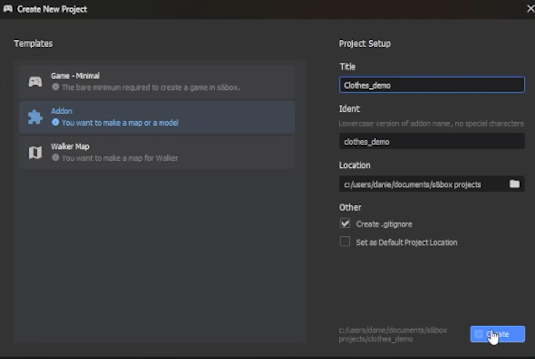
Open S&box and make a new project. You can select 'Addon' as your template since we're only going to publish a model.
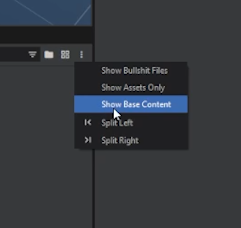
Make sure to turn on 'Show Base Content'. This will allow you to see important 'core' folders and files in the asset browser, which you will be using during the clothing creation process.
Keep your changes in your local project folder. Do not edit the supplied files in the core asset folders.
Grabbing Human Files 🧍
The Human is the default character. Find its source files in Steam\steamapps\common\sbox\addons\citizen\Assets\models\citizen_human.
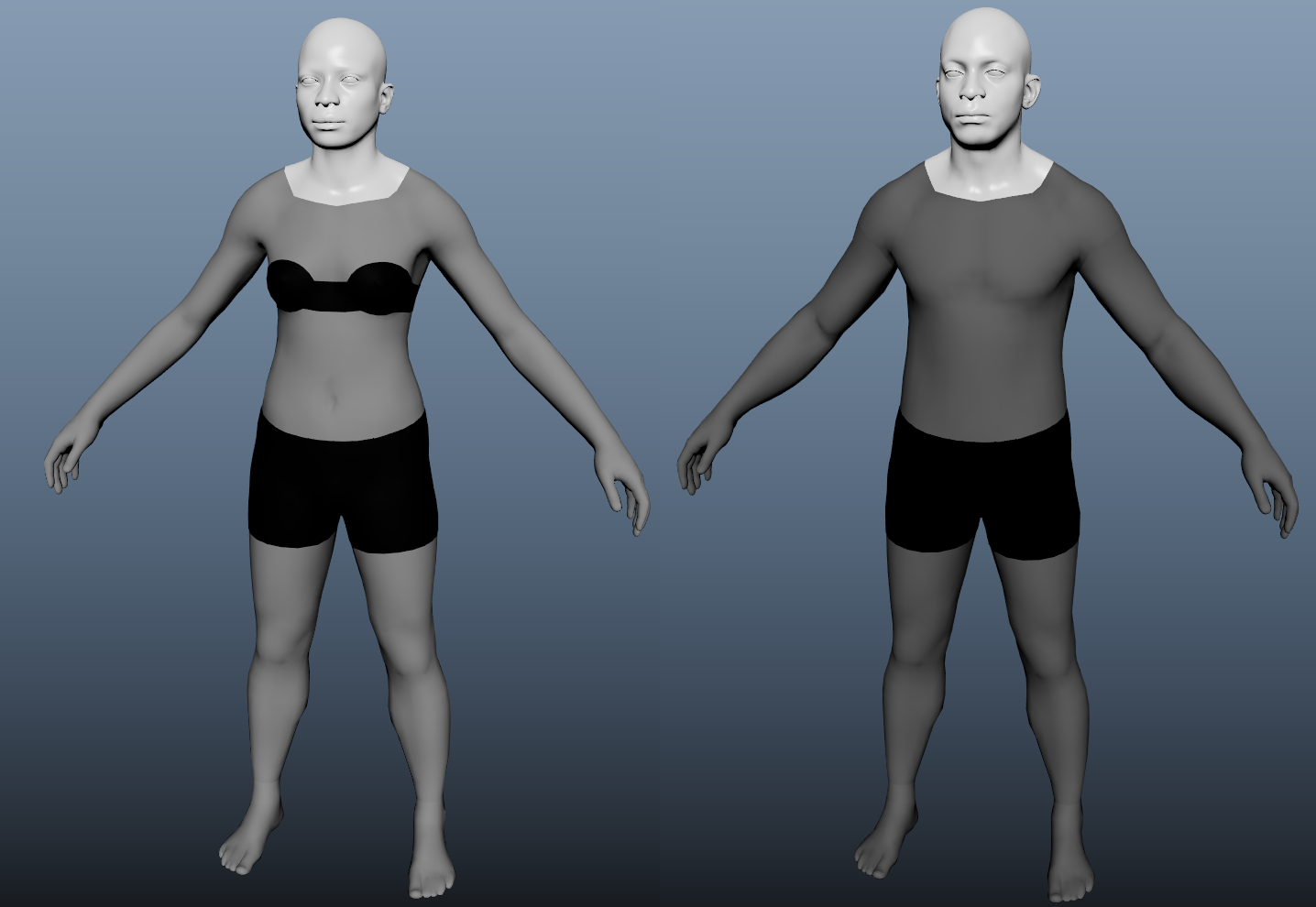
Use citizen_human_male_REF.fbx to build your clothing around the male body, and citizen_human_female_REF.fbx when making a female fit. These files supply the Human mesh, rig, and skinning.
The folder and reference filenames still contain citizen, but these are the Human assets. New clothing should be made for Humans from the start; no Citizen version is needed.
Working with the Reference Meshes
Work in centimeters to match the supplied references. Apply a ScaleAndMirror modifier with a scale of 0.3937 in your clothing VMDL, matching human.vmdl.
See Human Characters for the rig and model setup, and Morphing to Humans if you are adapting an existing clothing item.