Making a Hat
Making Hats / Headwear
Hats are relatively simple to rig, with less concern about layering than other clothing pieces. Build them around the Human reference mesh from the start.
The recordings below show an older workflow that began with the retired Citizen model. Use the Human references from First Time Setup throughout; a separate Citizen version is not needed.
In this example, we are showing our process of creating and setting up Headphones.
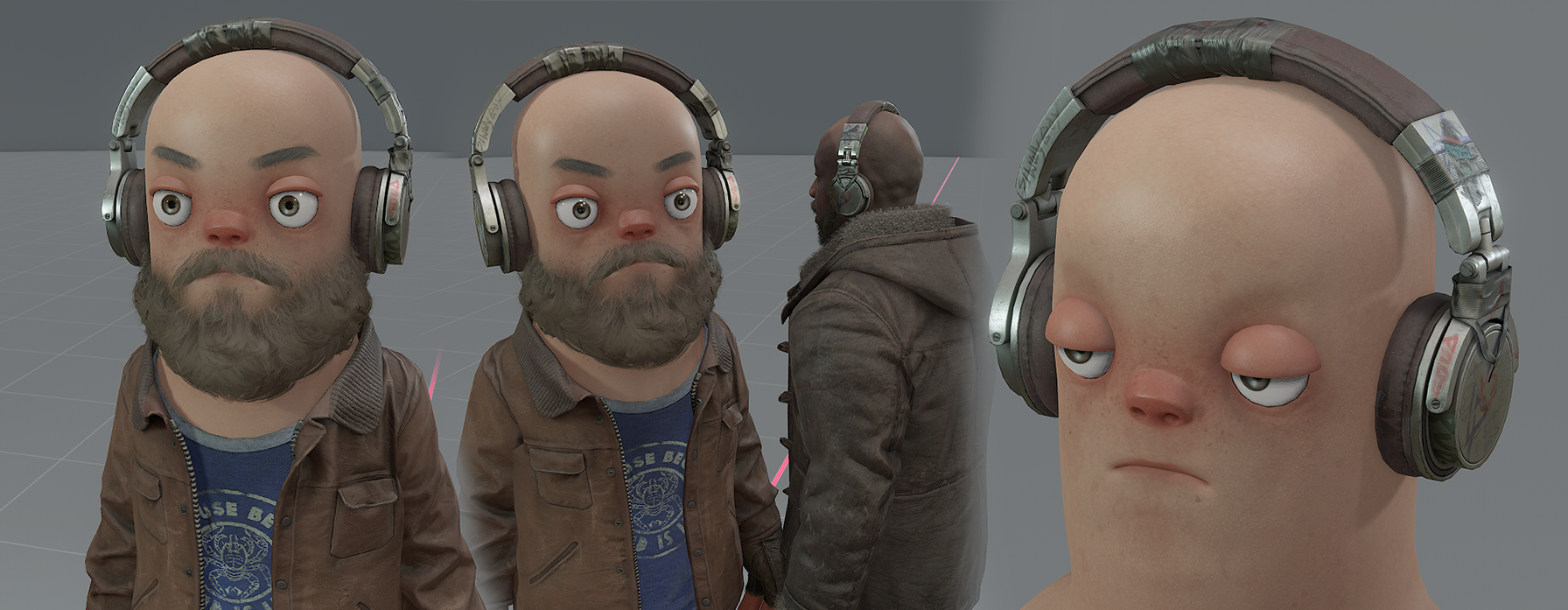
Highpoly
These aren't guidelines or a tutorial to creating a highpoly, I'm expecting you to know how to make your own. We're hoping to demystify the creation of our assets, as well as showing it being made in accessible software.
Generally, we expect you to make a highpoly to bake down onto your lowpoly. Whatever your approach, we expect an ambient occlusion map, normal map and bent normal map.
Lowpoly, UV's & Baking
I aimed for anything under 4k tris for my lowpoly**,** considering it's size and complexity. Anything a bit higher would be fine, but always worth considering your tricount. If you're finding it hard to work out how high or low your tricount should be, read our Guidelines & Quality Bar page segment on Tricounts.
UVs
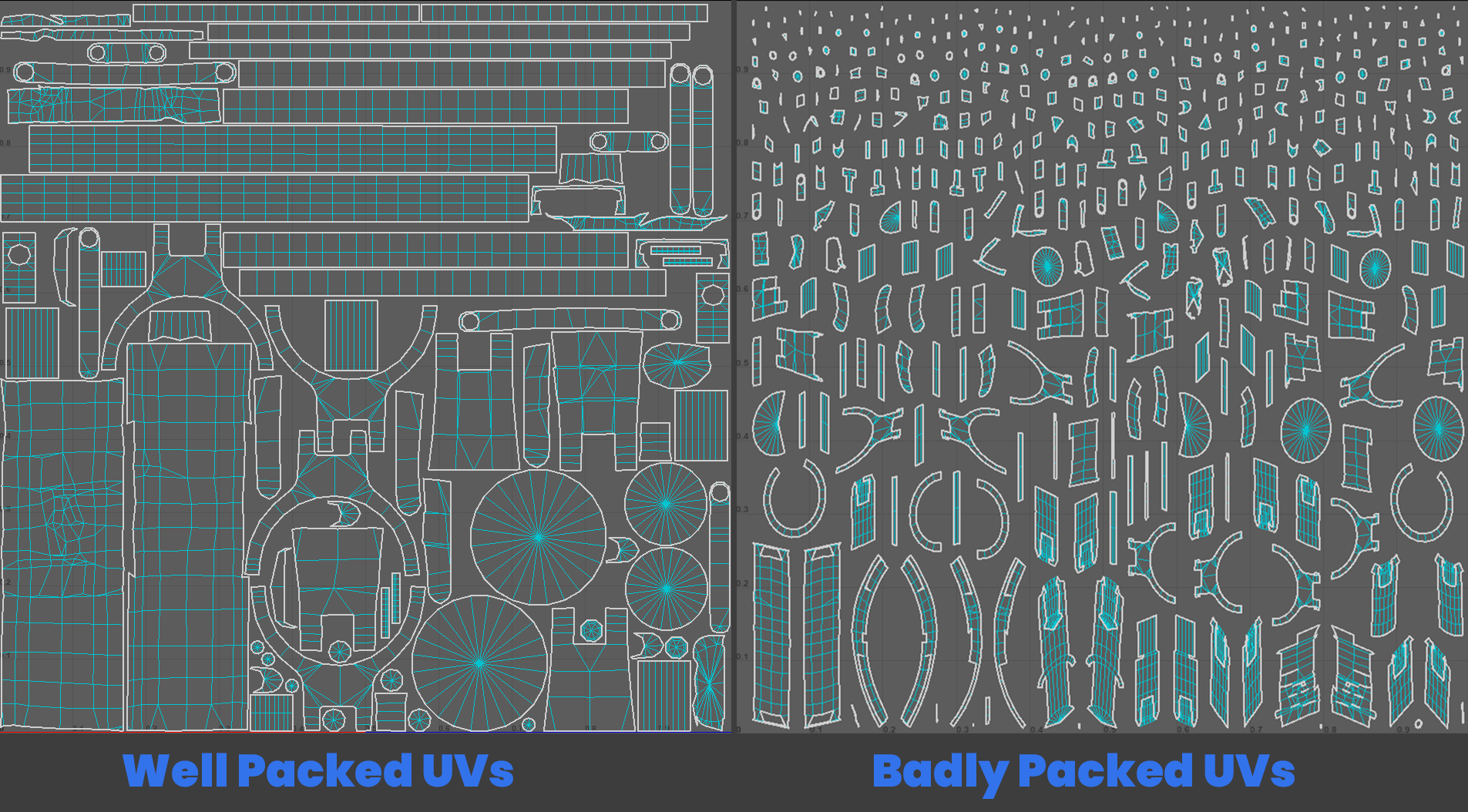
We expect you to have knowledge on creating UVs. We are just showing examples of UV's that allow for better baking and texturing, compared to poorly unwrapped and packed UVs. Especially when creating an asset like a Hat that only needs 1k textures, we want to make sure we're utilising our UVs effectively to fit in as much texel density.
Texturing
We'd recommend adding details that make the clothing look used rather than factory new. This lines up well with the current clothing we have created and the overall worn and torn aesthetic we lean towards.
We're not expecting you to dip your model in mud and stains, if you're making a space suit, it's not going to have ketchup stains.
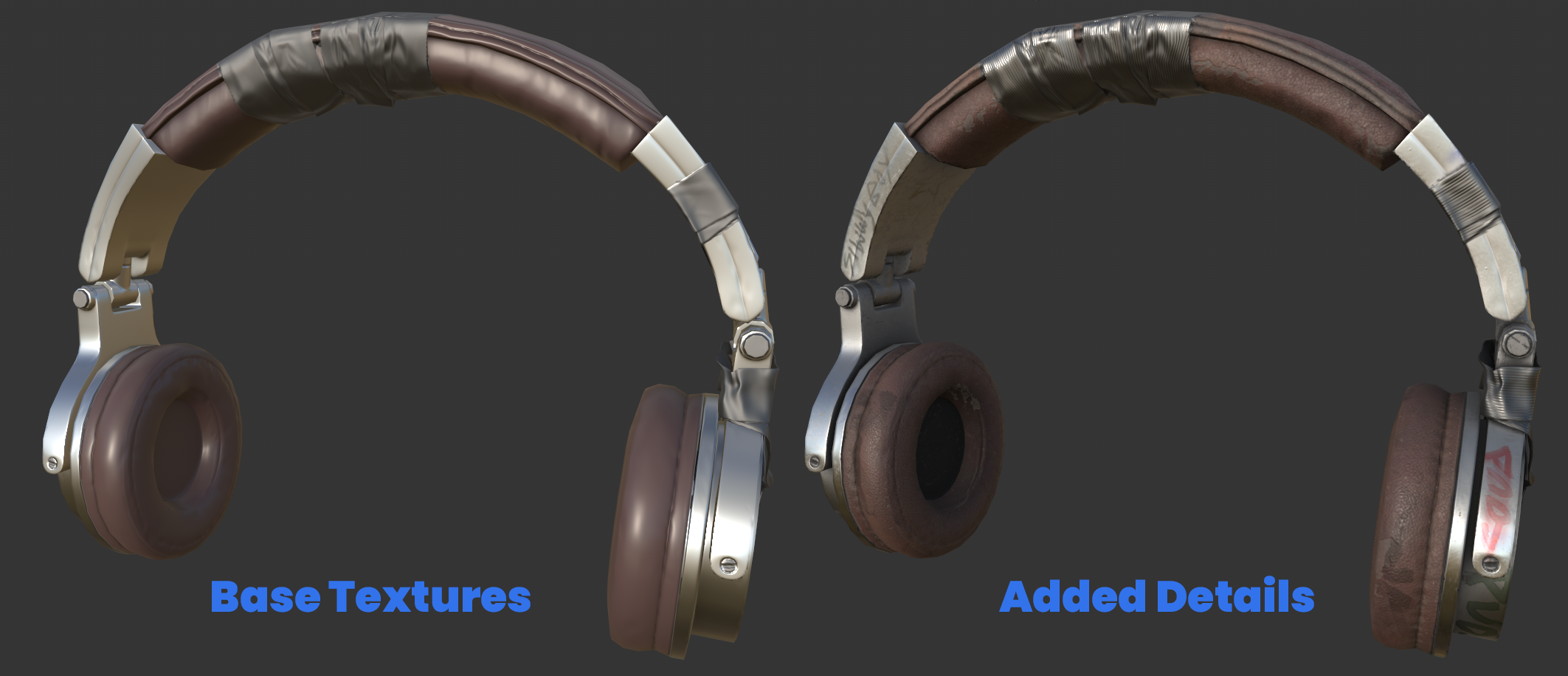
We'd steer away from completely flat and undetailed textures, there'd be rare exceptions to this rule, all depending on the context / art-style of your asset.
LODs
You can follow our segment on LODs at our Guidelines & Quality Bar page. Which breaks down what tricounts you should aim for on each LOD.
The tricount for each LOD of the Headphones -
LOD0 - 3640
LOD1 - 2432
LOD2 - 906
LOD3 - 171
Fitting the Human Head
Check your hat's scale and position against the Human head. When adapting an existing hat, scaling and repositioning the mesh may be enough, but check the fit around the ears, hair, and face.
Export the fitted mesh and reference it in your clothing VMDL. For a new asset, this can simply be headphones.vmdl. The recording duplicates an older VMDL as headphones_human.vmdl to preserve its setup while replacing the mesh; you only need to maintain the Human asset.
For help converting existing clothing, see Morphing to Humans. When publishing, assign your fitted VMDL to Model as described in Publishing Clothing.