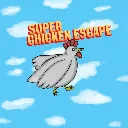
Super Chicken Escape
Released
A bite sized Mario-like. Play as Henrietta and help her get to to the finish.
UI/HatSelect.razor
A Razor UI panel component for a hat selection screen. It shows selectable hat images and a Back button, and loads different SceneFile assets when each button is clicked.
@using Sandbox;
@using Sandbox.UI;
@inherits PanelComponent
@namespace Sandbox

<root>
	<h2>Hat Selection</h2>
	<div class="hatselector">
		<div class="image-button" onclick=@Henrietta>
			<image src="images/henriettapicture.png" />
		</div>
		<div class="image-button" onclick=@Watermelon>
			<image src="images/melonchickenpic.png" />
		</div>
		<div class="image-button" onclick=@Shooter>
			<image src="images/shooterchickenpic.png" />
		</div>
		<div class="image-button" onclick=@Tofu>
			<image src="images/tofuchickenpic.png" />
		</div>

	</div>

</root>
<root>
	<div class="options">

		<div class="button" onclick=@Back>
			Back
		</div>


	</div>
</root>
<root>
	<div class="howtoplay">

		<p>Press A & D or Left and Right on a gamepad to move.</p>
		<p>Press Space or A on a gamepad to jump, double jump, and triple jump.</p>
		<p>Press Shift or B on a gamepad to dodge.</p>
	</div>
</root>
@code
{
	[Property] public SceneFile hen1 { get; set; }
	[Property] public SceneFile hen2 { get; set; }
	[Property] public SceneFile hen3 { get; set; }
	[Property] public SceneFile hen4 { get; set; }
	[Property] public SceneFile LB { get; set; }


	[Property, TextArea] public string MyStringValue { get; set; } = "Hat Selection";
	void Henrietta()
	{
		Scene.Load(hen1);
	}
	void Watermelon()
	{
		Scene.Load(hen2);
	}
	void Shooter()
	{
		Scene.Load(hen3);
	}
	void Tofu()
	{
		Scene.Load(hen4);
	}
	void Back()
	{
		Scene.Load(LB);
	}
	/// <summary>
	/// the hash determines if the system should be rebuilt. If it changes, it will be rebuilt
	/// </summary>
	protected override int BuildHash() => System.HashCode.Combine( MyStringValue );
}