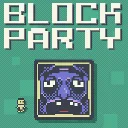
Block Party
Released
Outmaneuver murderous blocks in this platformer with leaderboards, replays, daily challenges, and a level editor.
Stages/LocalReplaysStage.cs
UI stage that shows the player's local replay archive. It creates a LocalReplaysScreen UI, handles input to launch the selected replay or return to the title, and preserves a dark covered background during the transition.
namespace BlockParty;

/// <summary>
/// Personal replay archive. Lists the player's own locally-saved runs (see <see cref="LocalReplays"/>)
/// newest-first, so they can rewatch any run offline. Reached from the title screen's REPLAYS
/// option; BACK returns to the title.
/// </summary>
public sealed class LocalReplaysStage : MenuStageBase
{
	/// <summary>Row to focus when this screen opens, e.g. the run we just watched (-1 = default/top).</summary>
	public int ReturnSelection { get; }

	private LocalReplaysScreen _screen;

	public LocalReplaysStage( GameManager manager, int returnSelection = -1 ) : base( manager )
	{
		ReturnSelection = returnSelection;
	}

	/// <summary>Same dark transition fill as the leaderboard so the wipe square persists as bg.</summary>
	public override bool CoveredBackground => true;

	protected override void OnEnter()
	{
		var go = CreateUiRoot();
		_screen = go.Components.Create<LocalReplaysScreen>();
		_screen.Stage = this;
	}

	public override void Tick( float dt )
	{
		base.Tick( dt );
		if ( _screen?.ImportOpen == true )
			return;

		// Space/Confirm watches the selected run; W/S selection + key-repeat lives in the screen.
		if ( InputState.ConfirmJust )
			_screen?.LaunchSelected();

		if ( InputState.BackJust )
			FadeToStage( new TitleStage( Manager ) );
	}

	/// <summary>BACK button on the screen routes here.</summary>
	public void GoBack() => FadeToStage( new TitleStage( Manager ) );
}