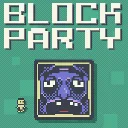
Block Party
Released
Outmaneuver murderous blocks in this platformer with leaderboards, replays, daily challenges, and a level editor.
ui/replayscrubbar.razor.scss
// Self-contained scrubbable-timeline styling. Lives on the ReplayScrubBar component itself, so it
// reliably styles the component's own internals (unlike a parent stylesheet, which s&box does not
// cascade into child components). Keeps the host HUD's thin white progress bar, with a slightly
// taller transparent hit area so it's easy to grab, plus a square scrub head + hover highlight.

$white: #f8f5e6;

.replay-scrub {
	// Transparent hit zone taller than the visible bar so clicks/drags land easily. The bar inside
	// spans the full width, so the panel's box maps 1:1 onto the timeline for the seek math.
	width: 100%;
	height: 38px;
	align-items: center;
	justify-content: center;
	position: relative;
	cursor: blank-hand;
	// A parent stylesheet does NOT cascade into this child component, so the replay panel's
	// pointer-events:none would otherwise leave the bar unclickable. Opt back in here.
	pointer-events: all;

	.bar {
		position: absolute;
		bottom: 6px;
		width: 100%;
		height: 10px;
		background-color: rgba($white, 0.18);
		border: 2px solid rgba($white, 0.5);

		.fill {
			position: absolute;
			left: 0;
			top: 0;
			height: 100%;
			background-color: $white;
		}
	}

	// One tick per small time slice. Logarithmic height keeps very busy moments
	// distinct without letting a single popular moment dominate the whole control.
	.reaction-tick {
		position: absolute;
		bottom: 16px;
		width: 2px;
		margin-left: -1px;
		background-color: #b9aa67;
		pointer-events: none;
		&.cluster { width: 4px; margin-left: -2px; background-color: #ddcc80; }
		&.busy { background-color: #fff0a6; }
	}

	// Square scrub head centred on the playback position (left: %). Marks the exact seek point and
	// gives the bar an obvious grab affordance.
	.head {
		position: absolute;
		bottom: 1px;
		width: 8px;
		height: 20px;
		margin-left: -4px;
		background-color: $white;
		border: 2px solid rgba($white, 0.5);
		image-rendering: pixelated;

		// Highlight only when the head ITSELF is hovered (not just anywhere on the timeline).
		&:hover {
			border-color: $white;
			box-shadow: 0 0 10px 1px rgba($white, 0.7);
		}
	}

	// Hovering anywhere on the timeline brightens the bar (but not the head — see .head:hover above).
	&:hover .bar {
		border-color: $white;
	}
}