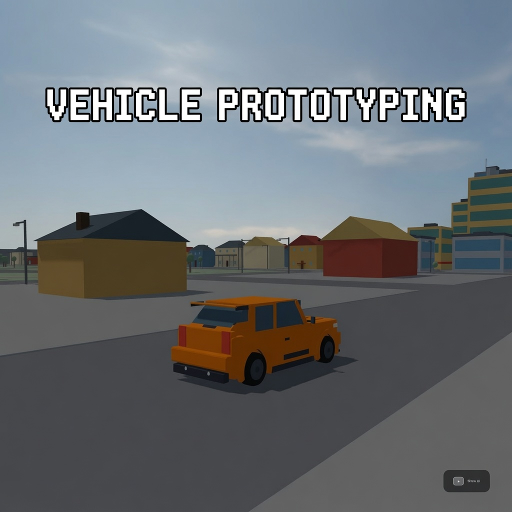
Vehicle Prototyping
Released
●1
A free, forkable driving-game baseline for s&box — a tuned car physics stack, a proving-ground track, and a playtest
UI/WorldControls.razor
A Razor UI component for the World & Terrain panel in the game UI. It shows buttons to switch between two worlds (proto/town and playground/stunt track), lets you toggle terrain (Flat vs Rolling Hills) for the Playground, and toggles visibility with the M key. It calls GameBootstrap.RequestWorld to request live world rebuilds and reads/writes UI state and mouse visibility.
@using Sandbox;
@using Sandbox.UI;
@inherits PanelComponent
@namespace VehicleProto
@* World & Terrain panel (public UX) — toggled by M ("World"). Switches the live world between the
proving-grounds Test Track (proto) and the Playground, and toggles Playground terrain Flat ↔ Rolling
Hills. F2/Esc are stolen by the s&box editor/host, so World rides a letter key. Every button drives
GameBootstrap's REAL rebuild path (not a silent ConVar) so the change is visible immediately.
Lab-family styling, cursor-interactive while open. *@
<root>
@if ( UiState.WorldOpen )
{
<div class="panel">
<div class="phead">
<div class="ptitle">World & Terrain</div>
<div class="mono kbd">M</div>
</div>
<span class="section">World</span>
<div class="worlds">
<div class="wbtn @(IsPlayground ? "" : "on")" onclick=@( () => Apply( "proto", TerrainOn ) )>
<span class="wname">Town</span>
<span class="wsub">streets & stations</span>
</div>
<div class="wbtn @(IsPlayground ? "on" : "")" onclick=@( () => Apply( "playground", TerrainOn ) )>
<span class="wname">Stunt Track</span>
<span class="wsub">jump park — coming soon</span>
</div>
</div>
<div class="section">
<span class="stitle">Terrain</span>
@if ( !IsPlayground ) { <span class="hint">Playground only</span> }
</div>
<div class="terrain @(IsPlayground ? "" : "disabled")">
<span class="seg @(TerrainOn ? "" : "on")" onclick=@( () => SetTerrain( false ) )>Flat</span>
<span class="seg @(TerrainOn ? "on" : "")" onclick=@( () => SetTerrain( true ) )>Rolling Hills</span>
</div>
<span class="foot">M to close</span>
</div>
}
</root>
@code {
string CurrentWorld => string.IsNullOrEmpty( VehicleBridge.World ) ? "proto" : VehicleBridge.World;
bool IsPlayground => string.Equals( CurrentWorld, "playground", System.StringComparison.OrdinalIgnoreCase );
bool TerrainOn => GameBootstrap.Terrain;
/// <summary>Dev/test aid: open the panel on boot so automated UI verification can screenshot it
/// (a real M keypress can't be injected through the editor MCP). Default off — M is the real
/// toggle for players. Set <c>vp_panel_open 1</c> before Play. Read here in the LIVE component's
/// own OnStart so the static it sets is the one this component's markup reads (avoids the
/// hotload static-duplication that makes a plain ConCmd write miss the running panel).</summary>
[ConVar( "vp_panel_open" )]
public static bool OpenOnBoot { get; set; } = false;
protected override void OnStart()
{
if ( OpenOnBoot )
UiState.WorldOpen = true;
}
protected override void OnUpdate()
{
// Belt-and-braces: the panel is not even mounted while world switching is gated off, but guard
// the hotkey here too so M can never toggle the panel until the feature returns.
if ( !GameBootstrap.WorldSwitchEnabled )
return;
if ( Input.Pressed( "World" ) )
{
UiState.WorldOpen = !UiState.WorldOpen;
Mouse.Visibility = UiState.WorldOpen ? MouseVisibility.Visible : MouseVisibility.Hidden;
}
if ( UiState.WorldOpen )
Mouse.Visibility = MouseVisibility.Visible;
}
void Apply( string world, bool terrain )
{
GameBootstrap.RequestWorld( Scene, world, terrain );
StateHasChanged();
}
// Terrain only applies to the Playground world; toggling it implies a Playground rebuild.
void SetTerrain( bool on )
{
if ( !IsPlayground )
return;
Apply( "playground", on );
}
protected override int BuildHash() => System.HashCode.Combine( UiState.WorldOpen, CurrentWorld, TerrainOn );
}