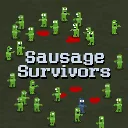
Sausage Survivors
Released
2d zombie survival
ui/Gamepad.cs
Utilities for controller-driven UI. Gamepad manages virtual cursor visibility and tracks a short grace period after closing a menu. GamepadButton represents a UI shortcut bound to a gamepad action that activates on release and plays UI sounds.
using Sandbox;

public static class Gamepad
{
	static RealTimeSince _timeSinceMenuOpen;

	/// <summary>
	/// True while a menu with the virtual cursor is open, or was open a moment ago. A clicks with the virtual cursor then,
	/// and the click can close the menu before gameplay reads the same press, so A shouldn't also count as a gameplay action.
	/// </summary>
	public static bool IsAClickingUi => Input.UsingController && _timeSinceMenuOpen < 0.15f;

	/// <summary>
	/// While using a controller, show the virtual cursor in menus and hide the cursor entirely during gameplay
	/// (the left stick drives both the player and the virtual cursor, so they can't both be active).
	/// </summary>
	public static void UpdateCursor( bool isMenuOpen )
	{
		if ( isMenuOpen )
			_timeSinceMenuOpen = 0f;

		if ( !Input.UsingController )
		{
			Input.EnableVirtualCursor = false;
			Mouse.Visibility = MouseVisibility.Auto;
			return;
		}

		Input.EnableVirtualCursor = isMenuOpen;
		Mouse.Visibility = isMenuOpen ? MouseVisibility.Auto : MouseVisibility.Hidden;
	}
}

/// <summary>
/// Gamepad shortcut for a UI button. Activates when the button is released rather than pressed, so the press
/// can't leak into gameplay on the frame a menu closes. The press has to start while the shortcut is enabled,
/// so holding a button while a panel appears won't trigger it.
/// </summary>
public class GamepadButton
{
	public string Action { get; }
	public bool IsHeld { get; private set; }

	public GamepadButton( string action )
	{
		Action = action;
	}

	/// <summary>
	/// Call once per frame. Returns true on the frame the button activates.
	/// </summary>
	public bool Update( bool enabled = true )
	{
		if ( !enabled || !Input.UsingController )
		{
			IsHeld = false;
			return false;
		}

		if ( Input.Pressed( Action ) )
		{
			IsHeld = true;
			Sound.Play( "ui.button.over" );
		}
		else if ( IsHeld && !Input.Down( Action ) )
		{
			IsHeld = false;
			Sound.Play( "ui.button.press" );
			return true;
		}

		return false;
	}
}